
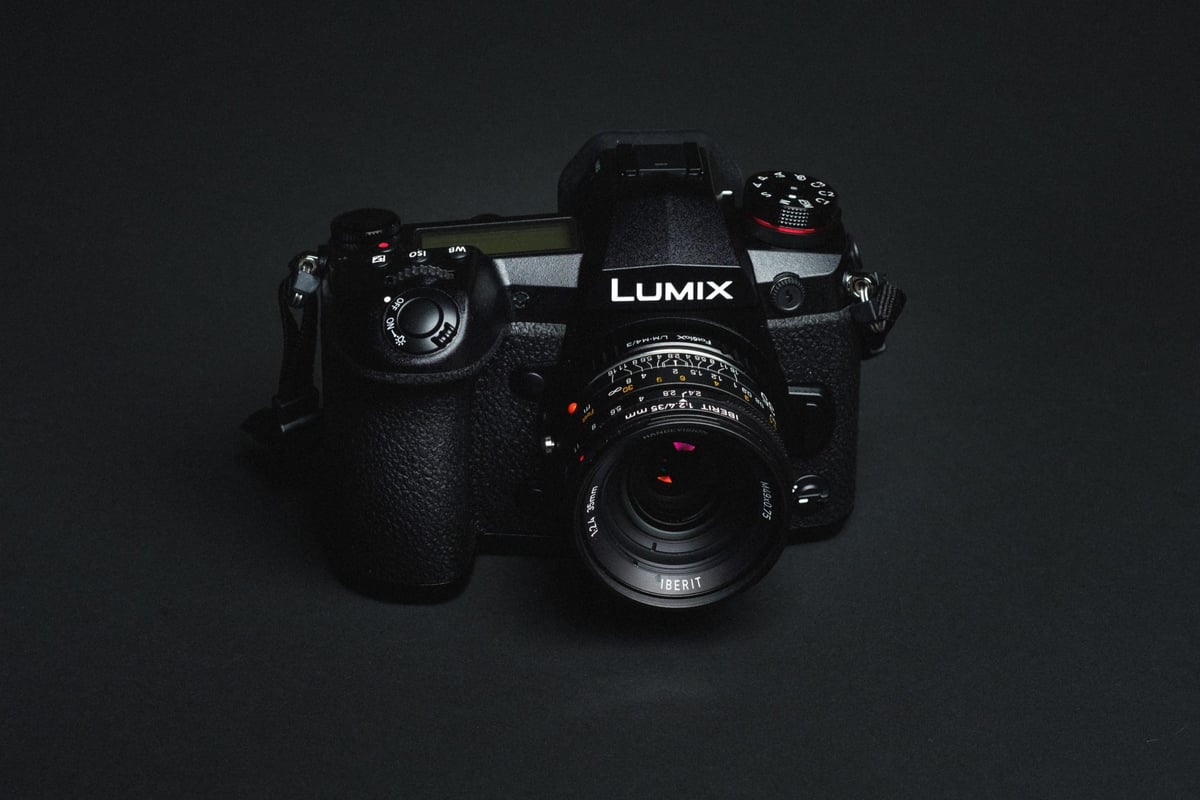
We’ve tested all the most popular UHS-II and UHS-I memory cards in the Panasonic G9 to find the fastest and most reliable cards. Use this guide to find the best memory cards for the Panasonic G9.
Panasonic Lumix G9 – Amazon / Adorama / BHphoto
Best Memory Cards Panasonic G9
First things first, the Panasonic has dual UHS-II memory card slots and supports cards up to 128GB. UHS-I card performance is very slow in this camera, so you should go with UHS-II cards.
Top 5 Recommended Memory Cards
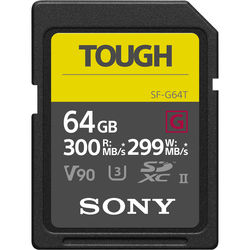 Here are the top 5 best-performing cards for the Panasonic G9. These will give you the best performance when bursting, and they are more than fast enough to handle the highest video bitrate the camera offers.
| Card Name | In-Camera Speed | Check Price |
| Sony G Tough | 104.27 MB/s | Amazon |
| Toshiba Exceria Pro | 102.36 MB/s | Discontinued |
| Hoodman Steel 2000x | 99.60 MB/s | Discontinued |
| Transcend v90 | 96.25 MB/s | Amazon |
| SanDisk Extreme Pro 300 | 85.34 MB/s | Amazon |
Recommended Cards For Casual Photography & Video
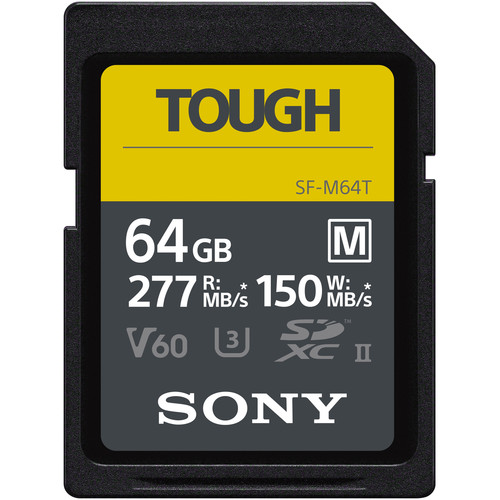 If you’re just shooting casually or need a great video card, here are a few nice options that will save you money. This is what you want if you’re shooting video as well, since the V90 cards can be overkill. Using the v60 cards will allow you to buy much larger cards.
There have been a ton of new cards released since I tested, but I’ll list what has been working well across most cameras.
| Card Name | In-Camera Speed | Check Price |
| Sony M Tough | 61.03 MB/s | Amazon |
| Sony E | up to 70MB/s | Amazon |
| ProGrade V60 | — | Amazon |
Note: I personally like Delkin cards; I use them in many of my cameras, but, like Lexar, they sometimes have problems with Panasonic cameras. I didn’t see any problems with my test with this camera, but I did get problems with Lexar.
Panasonic G9 | The Speed Test
We tested each card using the G9 shooting in RAW mode at ISO 100. All extra settings were turned off.
Like with the Panasonic GH5 and GH5s, UHS-I memory cards ran at disappointing speeds. You really need to buy UHS-II cards to unlock the G9’s full potential. But it’s not that simple: we found that Lexar UHS-II cards failed to deliver UHS-II-rated memory card speeds, so you will need to choose your brand carefully, depending on what you want to use the camera for.
Use the chart below to see which cards are best for your needs.
| SD Memory Cards | USB 3.0 Read | USB 3.0 Write | Panasonic G9 | Order |
| UHS-II | ||||
| Sony G | 259.2 MB/s | 234.5 MB/s | 104.27 MB/s | Amazon |
| Toshiba Exceria Pro | 258.8 MB/s | 226.5 MB/s | 102.36 MB/s | Amazon |
| Delkin V90 | 245.1 MB/s | 164.6 MB/s | 101.41 MB/s | Amazon |
| Fujifilm Elite II | 294.0 MB/s | 181.6 MB/s | 100.20 MB/s | Amazon |
| Adata V90 | 256.5 MB/s | 231.7 MB/s | 99.70 MB/s | Amazon |
| Hoodman Steel 2000x | 268.7 MB/s | 183.9 MB/s | 99.60 MB/s | Amazon |
| Transcend | 290.2 MB/s | 182.1 MB/s | 96.25 MB/s | Amazon |
| Sandisk Extreme Pro 300 | 263.2 MB/s | 233.4 MB/s | 85.34 MB/s | Amazon |
| Sandisk Extreme Pro 280 | 260.5 MB/s | 214.8 MB/s | 82.52 MB/s | Amazon |
| Delkin 1900X v60 | 273.3 MB/s | 97.3 MB/s | 61.80 MB/s | Amazon |
| Sony M | 253.2 MB/s | 91.62 MB/s | 61.03 MB/s | Amazon |
| Lexar 2000x | 272.7 MB/s | 244.5 MB/s | 39.13 MB/s | Amazon |
| Lexar 1000x | 147.4 MB/s | 78.4 MB/s | 37.17 MB/s | Amazon |
| UHS-I | ||||
| Samsung Pro U3 | 97.7 MB/s | 78.6 MB/s | 38.48 MB/s | Amazon |
| Samsung Pro+ U3 | 97.5 MB/s | 87.3 MB/s | 38.38 MB/s | Amazon |
| Sandisk Extreme Pro U3 | 98.6 MB/s | 90.8 MB/s | 38.03 MB/s | Amazon |
| Sandisk Extreme U3 | 72.43 MB/s | 54.1 MB/s | 37.95 MB/s | Amazon |
| PNY Elite Performance U1 | 96.5 MB/s | 66.5 MB/s | 37.71 MB/s | Amazon |
| Sandisk Extreme Plus U3 | 99.0 MB/s | 64.4 MB/s | 37.39 MB/s | Amazon |
| PNY Elite Performance U3 | 96.5 MB/s | 66.1 MB/s | 37.01 MB/s | Amazon |
| Samsung Pro U1 | 96.3 MB/s | 82.2 MB/s | 36.94 MB/s | Amazon |
| Transcend U3 | 96.7 MB/s | 84.9 MB/s | 36.89 MB/s | Amazon |
| Kingston U3 | 98.1 MB/s | 90.4 MB/s | 36.84 MB/s | Amazon |
| Lexar 600x U1 | 95.4 MB/s | 64.8 MB/s | 36.69 MB/s | Amazon |
| Delkin 633x U3 | 98.3 MB/s | 88.7 MB/s | 35.98 MB/s | Amazon |
| Sony U3 – Old Model | 96.5 MB/s | 84.5 MB/s | 35.71 MB/s | Amazon |
| Sony U3 – New Model | 96.7 MB/s | 56.2 MB/s | 35.39 MB/s | Amazon |
| Lexar 633x U3 | 93.3 MB/s | 67.3 MB/s | 35.09 MB/s | Amazon |
| Sandisk Ultra U1 | 99.3 MB/s | 36.1 MB/s | 23.67 MB/s | Amazon |
| Samsung U1 EVO | 47.7 MB/s | 21.96 MB/s | 18.45 MB/s | Amazon |
Panasonic G9 SpecsSensor: 20.3MP Digital Live MOS Sensor |
Panasonic G9 Best Memory Cards
Like with previous-generation Sony cameras, Panasonic cards have always been finicky with memory cards. Some cards, like Lexar UHS-II cards, just don’t work well, while regular UHS-I memory cards have very slow buffers that bottleneck at around 30MB/s. The good news is that the next generation of Panasonic cameras will likely increase buffer speeds to stay competitive. In the meantime, UHS-II is the way to go with buffer speeds capping out at around 100MB/s. That’s really not too bad and totally fine for 4k video.
Other Cards To Consider / Cards To Avoid
There are a few new brands out there making UHS-II memory cards, like Hoodman Steel, Adata, and even Fujifilm, and they are all great options if you can find them at a lower price. But the one card brand to avoid for this camera is Lexar. They just don’t perform well, and I do not recommend them.
Finding The Best SD Memory Cards for Panasonic G9
The best place to buy memory cards is from a trusted retailer. If you buy from Amazon, make sure you buy from the manufacturer whenever possible. Adorama and BHphoto are also great. Never buy the memory cards off eBay.
Best Memory Card 4k Video Panasonic G9
4k Video is limited to 150 Mbps, and you’ll find that any top-performing memory card will work fine. Even UHS-I memory cards will work for video, but you should use U3 cards to ensure you always achieve consistent minimum write speeds.
UHS-II vs. UHS-I Memory Cards In The Panasonic G9
Can you use UHS-I memory cards if you’re just using them as a backup?
Since the Panasonic G9 takes UHS-II memory cards in both slots, we recommend using dual UHS-II memory cards. However, if you’re just shooting JPEG backups to card slot 2, you can get away with a UHS-I card.
Remember that when shooting with a dual memory card configuration, your buffer speeds will be limited to the slowest card, unless you’re writing smaller files, such as JPEGs, to that card.
Best Memory Cards Panasonic G9 | Bottom Line
Due to the slow performance of UHS-I memory cards, we recommend you stick with UHS-II cards for the Panasonic G9. Because of the super-fast burst speed and high-megapixel shooting modes, you’ll want the best performance from your memory cards to get the most out of your camera.
Sony G UHS-II cards are going to be the easiest to find, and all around, they are one of the best cards you can buy for this camera. However, Delkin V90 and Toshiba cards can sometimes be found at a better price and are also very fast. Fujifilm, Adata and Transcend also performed very well in-camera and are also recommended.















Leave a Reply