
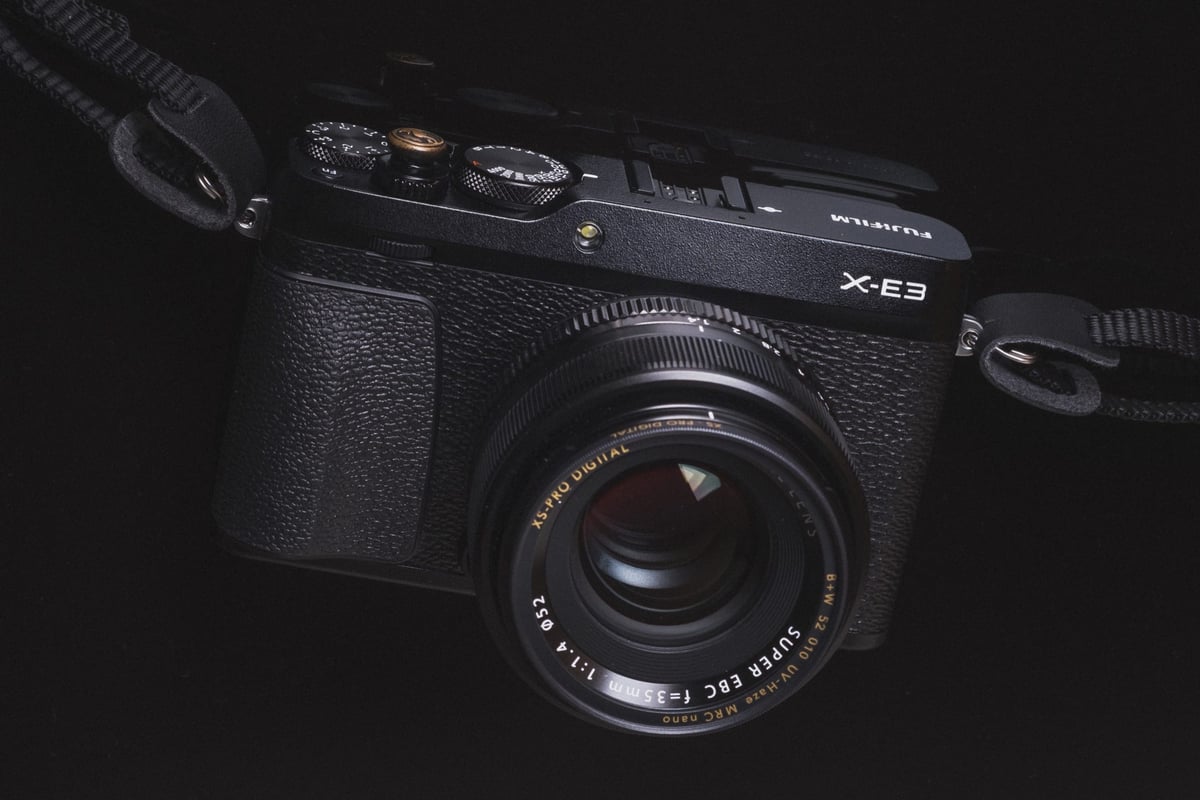
The ultimate in-camera comparison of the most popular SD memory cards tested on the Fujifilm X-E3. While most memory cards work well in any Fujifilm camera, there are a few clear winners for the Fujifilm X-E3.
Recommended SD Memory Cards for the Fujifilm X-E3
The Fujifilm X-E3 has a single UHS-I SD memory card slot. Brands that perform very well for Fujifilm are SanDisk and Lexar, and I also really like Kingston. Even though I benchmarked this camera years ago, here is a curated list of modern cards to help you find what’s available today.
| UHS-I U3 SD Memory Cards | Tested USB Write | Tested USB Read | Links |
|---|---|---|---|
| Sandisk Extreme Pro 64GB | 137 | 175 | Amazon / B&H |
| Sandisk Extreme 256GB-512GB | 126 | 175 | Amazon / B&H |
| Kingston Canvas Go! Plus 256GB-1TB | Amazon / B&H | ||
| Transcend Ultra 340s A2 128/256/512GB | 90 | 148 | Amazon / B&H |
General Performance And Speed Chart
The Fujifilm X-E3 performs almost the same as the Fujifilm X-T20, except that I’ve added a few more cards to this list.
All USB 3.0 tests were performed using CrystalDiskMark on Windows 10 with the Lexar SR2.
| SD Memory Cards | USB 3.0 Read | USB 3.0 Write | Fuji X-E3 Write |
| UHS-II | |||
| Sony G | 269.3 MB/s | 234.5 MB/s | 68.50 MB/s |
| Lexar 2000x | 272.7 MB/s | 244.5 MB/s | 68.28 MB/s |
| SanDisk Extreme Pro 300 | 263.2 MB/s | 233.4 MB/s | 67.52 MB/s |
| Toshiba Exceria Pro | 258.8 MB/s | 226.5 MB/s | 67.14 MB/s |
| Delkin 250 | 245.1 MB/s | 164.6 MB/s | 66.96 MB/s |
| Transcend | 290.2 MB/s | 182.1 MB/s | 66.44 MB/s |
| Hoodman Steel 2000x | 268.7 MB/s | 183.9 MB/s | 66.04 MB/s |
| Fujifilm Elite II | 294.0 MB/s | 181.6 MB/s | 65.89 MB/s |
| Sony M | 253.2 MB/s | 91.62 MB/s | 65.79 MB/s |
| Adata V90 | 256.5 MB/s | 231.7 MB/s | 65.46 MB/s |
| Delkin 1900X | 273.3 MB/s | 97.3 MB/s | 62.73 MB/s |
| Lexar 1000x | 147.4 MB/s | 78.4 MB/s | 58.77 MB/s |
| SanDisk Extreme Pro 280 | 260.5 MB/s | 214.8 MB/s | 36.20 MB/s |
| UHS-I | |||
| SanDisk Extreme Pro U3 | 98.6 MB/s | 90.8 MB/s | 67.83 MB/s |
| Kingston U3 | 98.1 MB/s | 90.4 MB/s | 66.89 MB/s |
| Samsung Pro+ U3 | 97.5 MB/s | 87.3 MB/s | 65.92 MB/s |
| Delkin 633x U3 | 98.3 MB/s | 88.7 MB/s | 64.67 MB/s |
| Samsung Pro U1 | 96.3 MB/s | 82.2 MB/s | 64.10 MB/s |
| Samsung Pro U3 | 97.7 MB/s | 78.6 MB/s | 63.95 MB/s |
| Transcend U3 | 96.7 MB/s | 68.4 MB/s | 63.10 MB/s |
| Sony U3 – Old Model | 96.5 MB/s | 84.5 MB/s | 61.48 MB/s |
| PNY Elite Performance U3 | 96.5 MB/s | 66.1 MB/s | 60.55 MB/s |
| PNY Elite Performance U1 | 96.5 MB/s | 66.5 MB/s | 56.93 MB/s |
| SanDisk Extreme Plus U3 | 99.0 MB/s | 64.4 MB/s | 56.24 MB/s |
| Lexar 633x U3 | 93.3 MB/s | 67.3 MB/s | 54.71 MB/s |
| Lexar 600x U1 | 95.4 MB/s | 64.8 MB/s | 53.65 MB/s |
| Sony U3 – New Model | 96.7 MB/s | 56.2 MB/s | 50.87 MB/s |
| SanDisk Extreme U3 | 72.43 MB/s | 54.1 MB/s | 47.80 MB/s |
| SanDisk Ultra U1 | 99.3 MB/s | 36.1 MB/s | 25.77 MB/s |
| Samsung U1 EVO | 47.7 MB/s | 27.3 MB/s | 23.75 MB/s |
Camera Specs
Sensor: APS-C 24.3 MP X-Trans CMOS III / Processor: X-Processor Pro
SD Memory Card Type: UHS-I
Video: 4K Video Recording at 30 fps
Continuous Burst: 14fps
Size of Buffer: 1GB
Uncompressed Shots Till Buffer Fills: 24
Est. Time Taken To Clear Buffer: 14.5 seconds
Fujifilm X-E3 Heat Issues
The Fujifilm X-E3 was the first Fujifilm camera to overheat me during the test. While testing 4K video capabilities on each card, after about 20 minutes of start-and-stop recording, the camera displayed a heat warning and shut down.
However, it never overheated when shooting photos, just 4k video.
To learn more about memory cards, if you’re having trouble with your memory card for the Fujifilm X-E3, check out the ultimate guide to memory cards.
Best SD Memory Card Fuji X-E3 | Bottom Line
The Fujifilm X-E3 is a very simple, compact camera that does not support UHS-II, so when buying SD memory cards, the choice is easy: UHS-I is the way to go. The camera performs very quickly, especially compared to much of the competition. Its memory card write speeds are also on par with those of other Fujifilm UHS-I cameras.
When recording 4K video, you will encounter overheating issues after a while, even with start-and-stop recording. If you were to do a long recording session with 4k video, expect the camera to overheat after 10-15 minutes.
When it comes to buying the best memory card for Fujifilm, the SanDisk Extreme Pro is always the best option.
Why UHS-II Cards Don’t Help the X-E3
The benchmark chart reveals something worth spelling out: the top UHS-II cards and the top UHS-I cards land within 1 MB/s of each other in the X-E3. The Sony G Tough (UHS-II) hit 68.50 MB/s; the Sandisk Extreme Pro (UHS-I) hit 67.83 MB/s. That gap is not a measurement rounding error — the X-E3 has a UHS-I interface, which means all UHS-II cards run at UHS-I speeds here. There is no in-camera write advantage from buying a UHS-II card. The extra cost buys nothing in this camera.
One outlier worth noting: the older Sandisk Extreme Pro 280MB/s (a UHS-II card) dropped to 36.20 MB/s — far below everything else in the chart. That result was consistent across test runs. It appears that specific card model handles the UHS-I fallback mode differently from other UHS-II cards. The current Sandisk Extreme Pro UHS-I card consistently tops the chart above 67 MB/s and is the right buy for the X-E3.
What the Buffer Clear Time Means in Practice
The X-E3 has a 1GB buffer that holds 24 uncompressed RAW shots at 14fps — filling in under 2 seconds of continuous shooting. With a top UHS-I card, the buffer clears in 14.5 seconds. For sports or action photography, that’s a meaningful pause. But the X-E3 is a compact street and travel camera, not a sports body — you’ll rarely hit the buffer ceiling doing the work this camera is designed for. For the occasional burst sequence, just pause between sequences and the buffer clears incrementally while you review your shots.
Can I Use a microSD Card in the Fujifilm X-E3?
The Fujifilm X-E3 uses a full-size SD card slot. MicroSD cards work with an adapter, but from experience they can lose connection inside the adapter — I wouldn’t use one for anything critical. See the microSD memory card guide if you need to use one.
Fujifilm X-E3 Memory Card FAQ
Does the X-E3 support UHS-II cards?
The X-E3 has a UHS-I slot only. UHS-II cards work but run at UHS-I speeds — confirmed by the benchmark data, where UHS-II cards clustered around 65–68 MB/s alongside top UHS-I cards. Don’t pay the UHS-II premium for this camera. A fast UHS-I U3 card like the Sandisk Extreme Pro is the correct choice.
Will the X-E3 overheat when recording 4K?
Yes, under extended use. During testing, the X-E3 displayed a heat warning and shut down after about 20 minutes of start-and-stop 4K recording — the first Fujifilm camera encountered in testing to overheat. Still photography did not trigger overheating. For extended 4K sessions, plan on taking camera breaks. For primarily still or short-clip work, thermal management is not a day-to-day concern.
What size card should I buy for the X-E3?
Compressed RAW files from the 24.3MP X-Trans III sensor run roughly 25–35MB each. For a full day of street or travel shooting, 64GB is comfortable. If you’re mixing RAW stills with 4K video clips, 128GB gives useful headroom — though the camera’s heat limitations on 4K mean video clips stay short regardless.
Why did some UHS-II cards underperform UHS-I cards in the X-E3?
The X-E3’s UHS-I interface sets a hard ceiling for all cards regardless of tier. The variation in the chart — most UHS-II cards hitting 65–68 MB/s, but one specific Sandisk model falling to 36 MB/s — comes from how different card controllers handle the UHS-I fallback mode, not from the UHS-II capability itself. The practical takeaway: the UHS-II spec is irrelevant for the X-E3. Buy the best UHS-I card and skip the UHS-II premium.













Leave a Reply