
The Fujifilm X100VI is a rare breed—a camera that looks like a vintage masterpiece but performs like a modern cinema tool. With a 40MP sensor and in-body image stabilization (IBIS), it delivers incredible detail, but it also has specific “X100 quirks” that need to be addressed to make it a perfect daily carry.
After years of shooting with four generations of X100 cameras, I’ve refined a setup that emphasizes minimalism and tactility. This guide avoids the bulk and focuses on the best accessories that improve the X100VI’s handling, protection, and power without losing its soul.
Table of Contents
Upgrading from the X100V? What’s Changed for Your Gear
While the X100VI looks nearly identical to the previous generation, there are three key internal changes that affect how you should kit out this camera:
The New Battery Reality: Even though it uses the same NP-W126S battery, the 40MP sensor and IBIS are power-hungry. If you shoot with processor-intensive Film Recipes or use high-bitrate video, carrying a spare battery is no longer optional—it’s a necessity.
The IBIS Factor: The addition of 5-axis In-Body Image Stabilization makes the camera slightly deeper. This means many X100V leather half-cases will not fit the X100VI perfectly. I’ve updated my Leather Case section below with confirmed compatible options.
The 40MP Sensor Demands: The high-resolution sensor is much less forgiving of camera shake. While the IBIS helps, I now find a Thumb Grip or L-Grip essential for a steady “pinch” when shooting one-handed.
1. Screen Protectors
I would always recommend starting with a screen protector. I’ve had screen damage in the past from not using screen protectors, and it sucked. There are a lot of choices out there, but they are mostly the same: either 9H glass screen protectors or, occasionally, anti-glare models. ExpertShield still offers these options.

ULBTER Screen Protector
There are many brands out there with random names, but one I’ve been buying recently is ULBTER. They offer glass screen protectors, which provide excellent protection against dirt, scratches, and fingerprint smudges. Made from tempered glass with a 0.3mm thickness, they provide a crystal-clear viewing experience with ultra-low reflection, preserving sensitivity. Other brands offering glass are great as well, but I do recommend the glass screen protectors for this camera unless you want something special, like an anti-glare protector. But those are hard to find these days.
Available At: Amazon
2. Managing Power: IBIS and the 40MP Sensor
The Fujifilm X100VI features a USB-C port compatible with USB Power Delivery (PD). While Fujifilm doesn’t label this as “Fast Charging,” the PD compatibility is a massive workflow improvement over older models.
In-Camera Charging: You can charge the NP-W126S battery directly inside the camera. To do this efficiently, I recommend using a PD-compliant GaN charger. It ensures the camera receives the maximum steady current it’s designed to handle.
Battery Life Tip For The Fujifilm X100VI: If you’re struggling with battery life or frustrated by its short duration, consider turning off all JPG effects, as they appear to drain the battery significantly – mainly, grain and clarity or anything that really causes the processor to work harder.
I thought something was wrong with the camera at first, or maybe IBIS was killing the battery, but when I turned off all the JPG effects, my battery life returned to what felt normal.
Which Third-Party Batteries Are Best?
Some third-party brands are now quite good. So if you love your JPG effects, grab some third-party batteries.
The only catch with good third-party batteries is that it’s still usually a good idea to break them in a few times. This involves fully cycling from full power to empty around 3 to 5 times. You don’t have to be super specific here, but it’s generally a good idea to first fully charge your battery when you receive it, then use it to wear it down to a reasonable level before recharging it fully again.
As for the best third-party brand batteries for the Fujifilm X100VI, I’ve been using Wasabi, specifically the one with a built-in USB-C charge port. It’s been working absolutely great. I also have some of their other batteries, and they work very well. SmallRig also makes this type of battery, and it has worked well in other cameras for me.
Wasabi Power NP-W126S WITH USB FAST CHARGING
Here is the Wasabi USB-C battery. Compared to the NP-W126S series of batteries, these USB-C versions hold less charge — 1050 mAh vs. 1400 mAh — so keep that in mind.
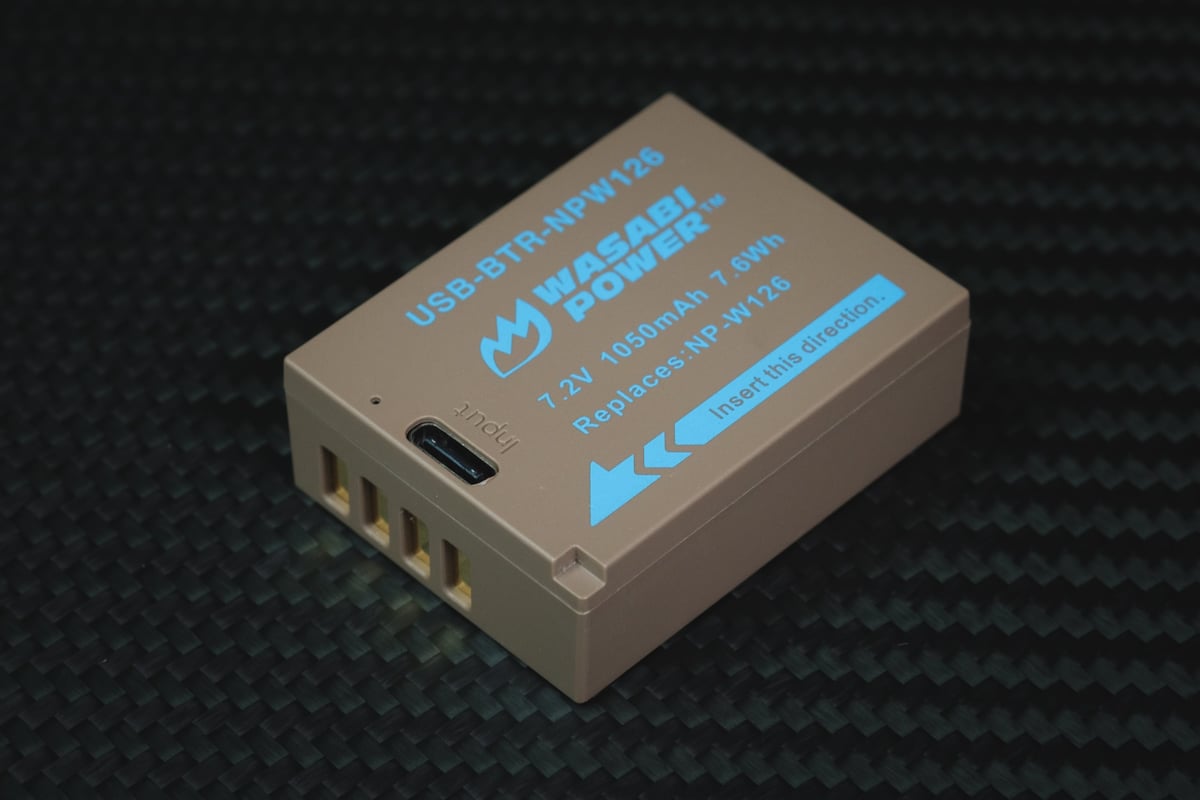
Part of the Ginger Series, it features USB-C rechargeability. Crafted from premium Grade-A cells, it maximizes battery longevity and is backed by a 3-year warranty. Fully compatible with Fujifilm’s original equipment and chargers.
Note: This battery has a lower capacity than the official Fujifilm batteries and the standard Wasabi Power NP-W126 Batteries.
Available At: Amazon
3. Achieving True Weather Sealing
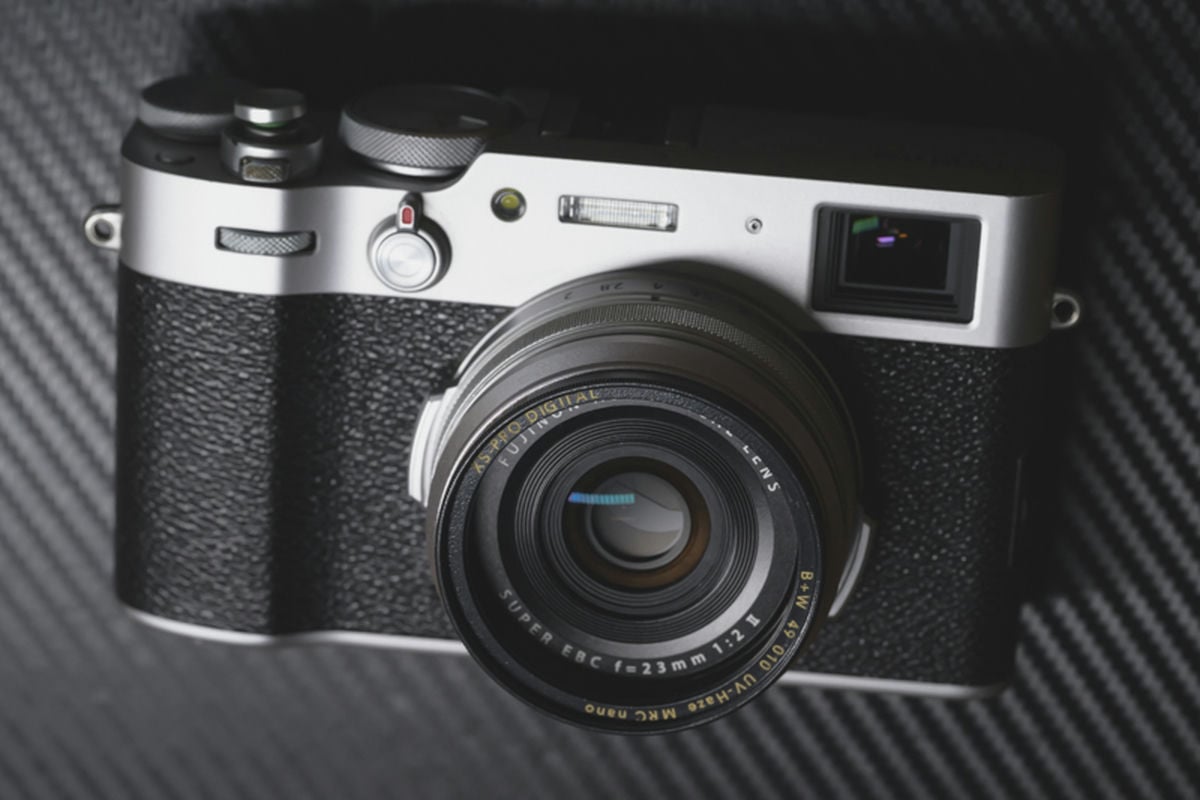
To make the X100VI weather-resistant, you must add a filter to the front lens element. This is the only way to seal the gap where the lens extends.
The Creative Choice: If you want that classic “Mist” look, I recommend a Glimmerglass 1/4. The Black Pro Mist is also great, but keep the power low at around 1/8 for night shooting. The Glimmerglass takes the digital edge off the 40MP sensor while keeping highlights that look like real film. This way, you don’t have to use the clarity JPG effect, which requires more processing power and drains battery life. I’ll have more details on these recommendations further down.
The Minimalist Choice: The Nisi UV Filter is my favorite solution because it’s a single-piece design. You don’t need a separate adapter ring, which keeps the camera slim enough to still fit in a coat pocket.
JJC LH-JX100 II Lens Hood/Adapter Ring

This lens is affordable and practical since it allows you to use the hood without blocking the flash or OVF. Check out my LH-JX100 II review. As shown in their pictures, the Fujifilm lens hood will not fit over this. It technically fits, but it’s too loose to stay on. The kit includes an adapter ring that allows you to use UV filters. A much less expensive option than the official Fujifilm adapter ring, and it works great.
Most people I know, including me, just buy these kits to adapt a UV filter or a soft mist filter and leave the hood portion off.
Available At: Amazon
Haoge Square Metal Lens Hood + Adapter
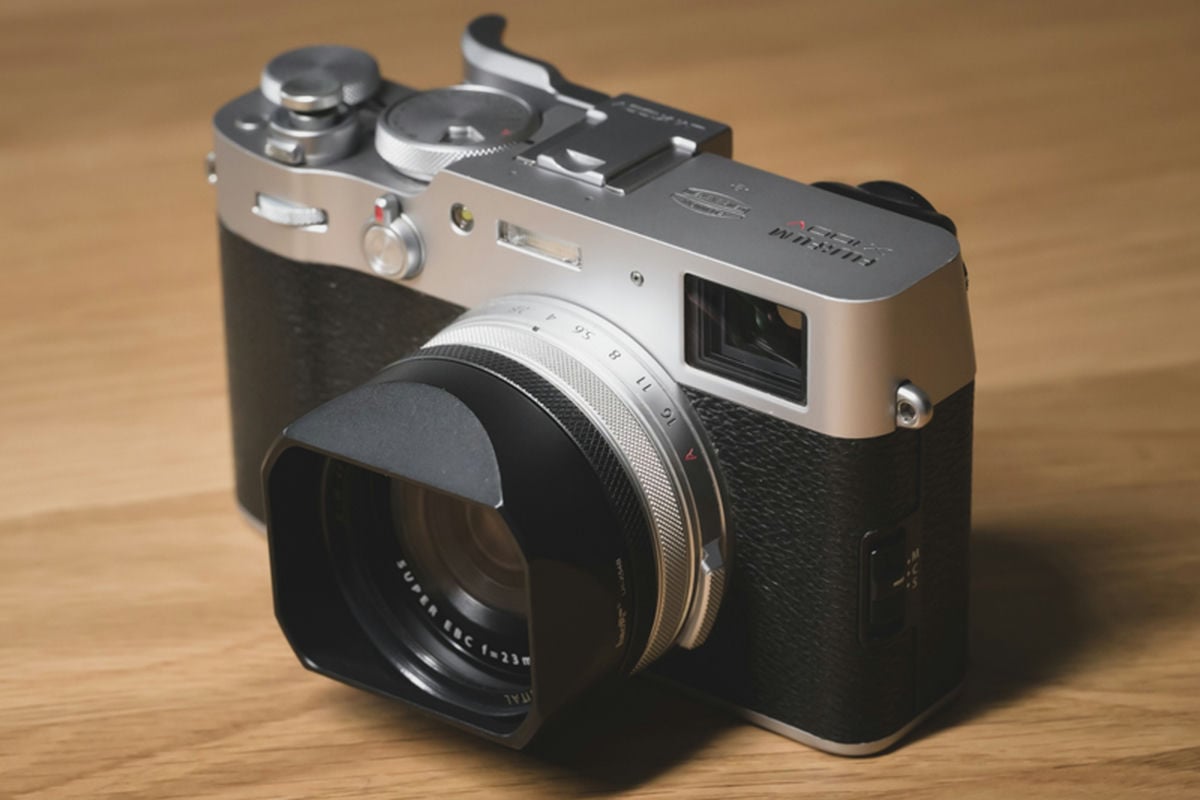
Some have reported that the Haoge Square hood doesn’t fit the X100VI perfectly because a small gap remains after screwing it on. But it still works fine for me. Look for any updates on this filter before ordering to see if they can get more precision with the new camera.
There are two Hoage Square hoods: the flared-out and the tapered-in. Both come with an adapter ring for using UV or Black Mist filters.
This square hood that tapers in is nice because it won’t cast any shadows when you use the camera flash.
Available At: Amazon
SquareHoods MK III For Fujifilm X100VI

Square hoods that take UV filters also make excellent choices for the X100VI, though they are a bit expensive.
I don’t own this one, but some friends do, and they seem to like it, so I thought I would list it as an option for those who want ultra-high quality.
Just keep an eye on that shipping price. It can be quite expensive if you’re in Asia, as I am. You’ll also want to grab the new MK 4.
Available At: SquareHoods
Nisi Filter For Fujifilm X100VI
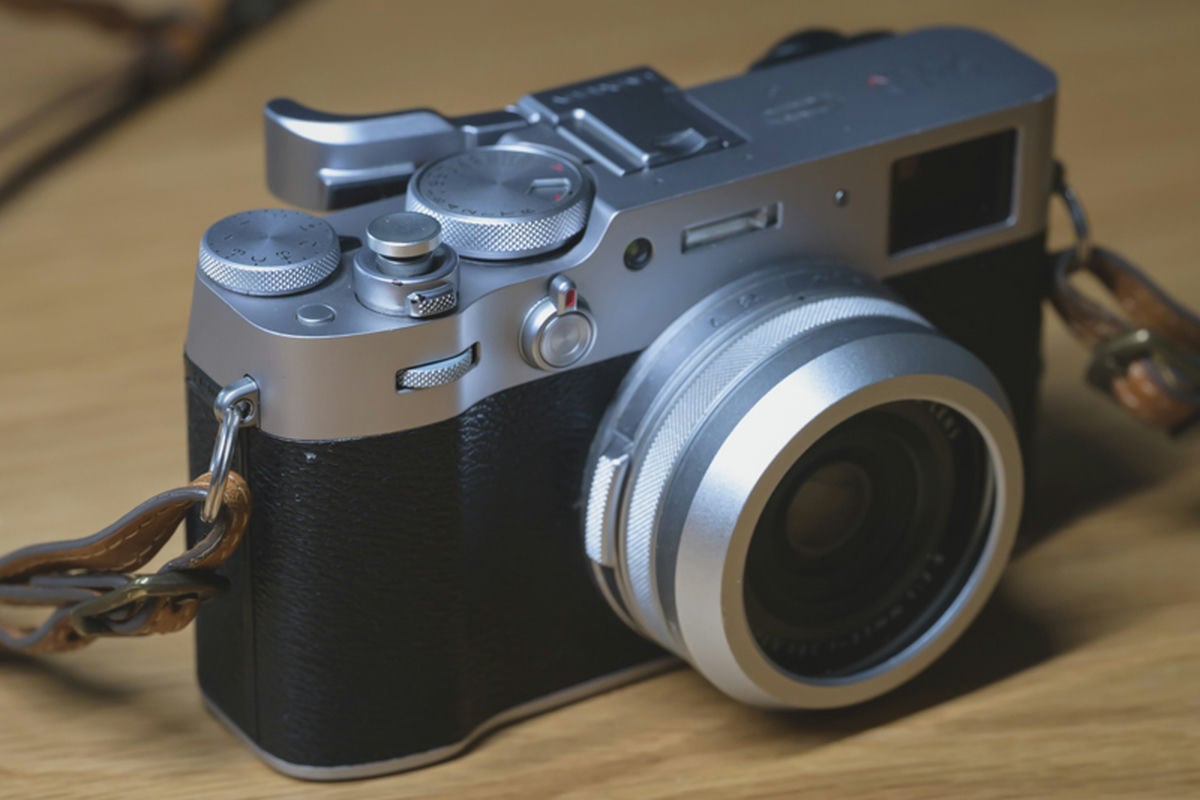
I mostly use this Nisi filter and lens protector when I’m not using any soft mist filter, simply because it’s an all-in-one solution with no additional parts. The UV filter is built into the mount, so all you have to do is screw it on, and it looks great.
Available At: Amazon
4. Diffusion Filters
Once you have your filter adapter, you can adapt a 49mm diffusion filter.
I have a review comparing the top three best diffusion filters: the Glimmarglass, Black Pro-Mist, and Moment Cinebloom.
If you want to take the edge off and give your film simulators a more cinematic feel, I recommend a Glimmerglass at 1/4 power. It creates a film-like look without adding excessive mist. Many people prefer the Cinebloom or Black Pro-Mist at lower powers, and for the mist effect, they are great. However, for simulating film, I think the Glimmerglass is the way to go.
Here is a sample of the Firecrest Gold Bloom filter on the Fujifilm X100VI. I also like the Tiffen Pro-Mist, Black Pro-Mist, and Glimmarglass filters. If you find those a little expensive, try the K&F Shimmer 1 filter.

5. Conversion Lens
The X100VI is essentially two or three cameras in one if you use conversion lenses.
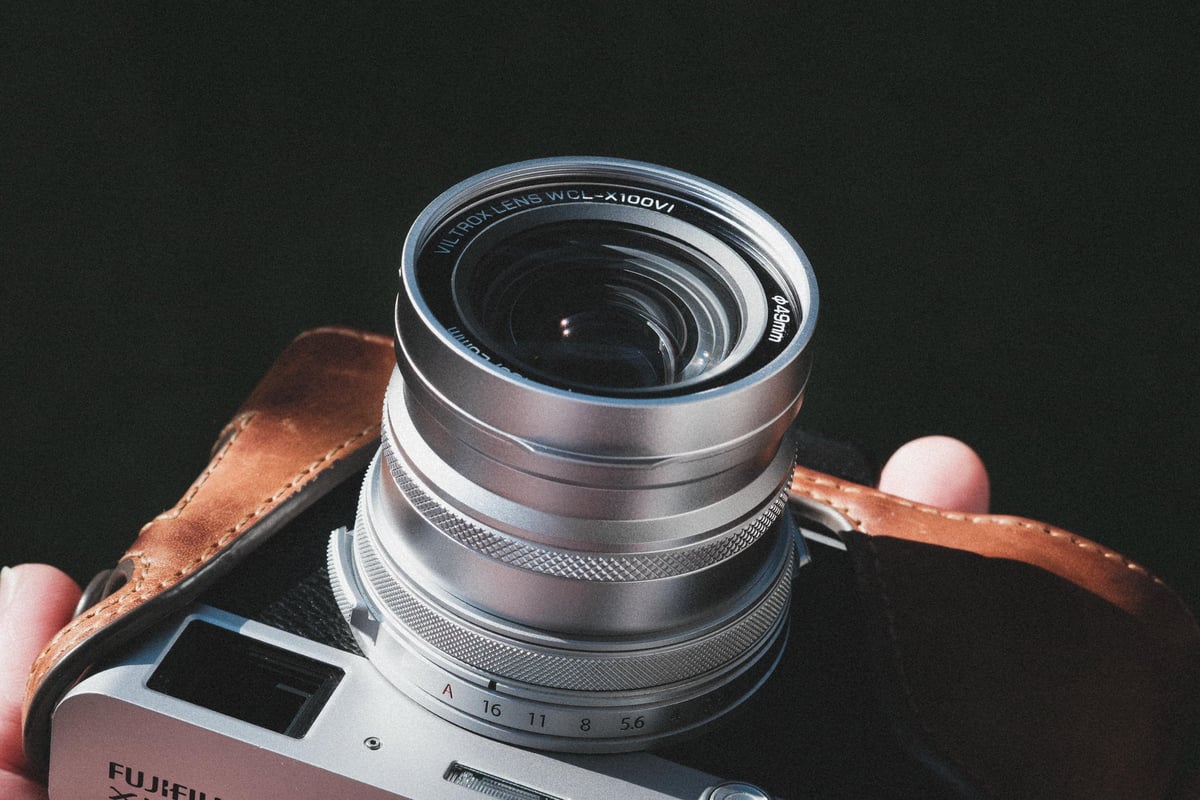
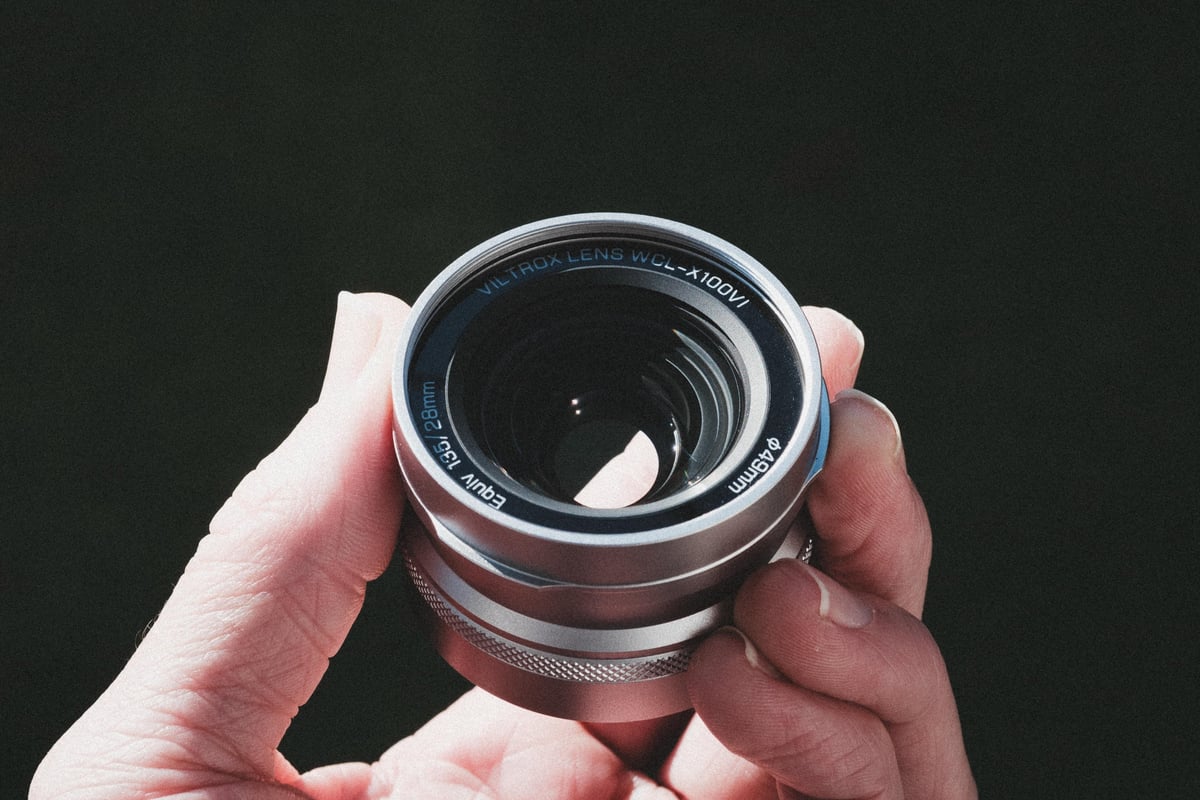
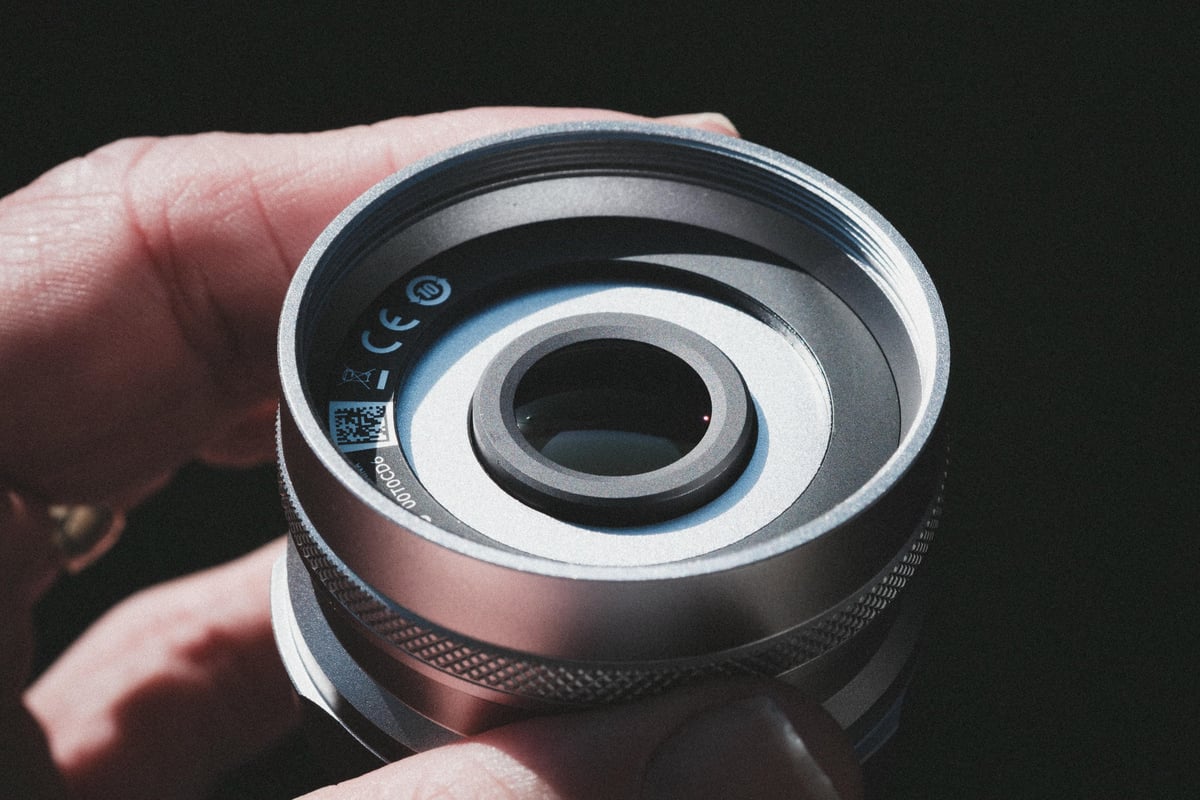
- The Wide Angle (28mm): I’ve been testing the Viltrox WCL-X100VI. It’s significantly cheaper than the official Fujifilm version and gets you 95% of the way there. It even includes the magnetic interface, so the IBIS works correctly at 28mm. It’s a fantastic tool for travel videos.
- The Telephoto (50mm): If you prefer a tighter “Leica” look for portraits, the TCL-X100 II is the way to go, though it does make the camera front-heavy. I have a review of the Viltrox version coming soon as well.
For those using the X100VI as a pocket B-Roll camera or travel video camera, I highly recommend getting this 28mm adapter. It’s fantastic for video. It even included the magnetic interface that tells the camera which lens is attached, so the IBIS will work correctly.

6. Soft Shutter Release Buttons
A soft shutter button is more than just an aesthetic choice; it alters the shutter’s tactile feel.
- Selection Tip: Look for buttons with rubber O-rings (like the VKO Wood Button or JJC Brass). Without that washer, these will eventually vibrate loose and get lost on the street.
- Sizing: I prefer 12mm concave buttons, but if you have smaller hands, a 10mm button feels more integrated into the X100VI’s top plate.
Here are a few photo samples of the different soft shutter buttons on these little X100 series cameras.
VKO Soft Shutter Release Button – Wood
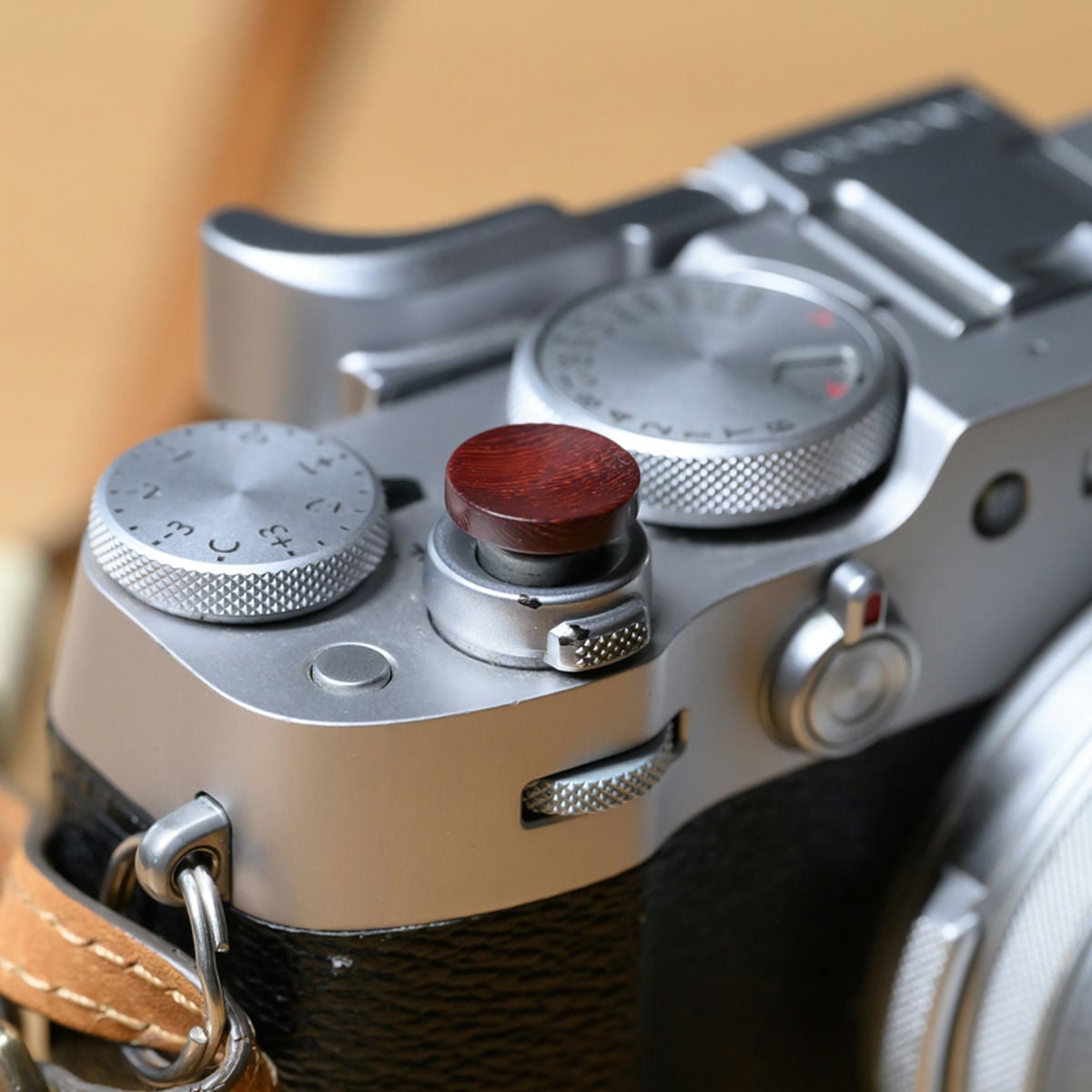
If you want a slightly larger button, this wood-grain option from VKO looks and feels great.
It features a 12mm concave surface that contours nicely to your fingertip and includes a rubber ring to help the button stay firmly attached to the camera.
Made of high-quality wood and brass thread screw. This is probably one of the best feeling buttons I have, and I always use it on at least one of my cameras.
Available At: Amazon
JJC Soft Shutter Release – Black & Red
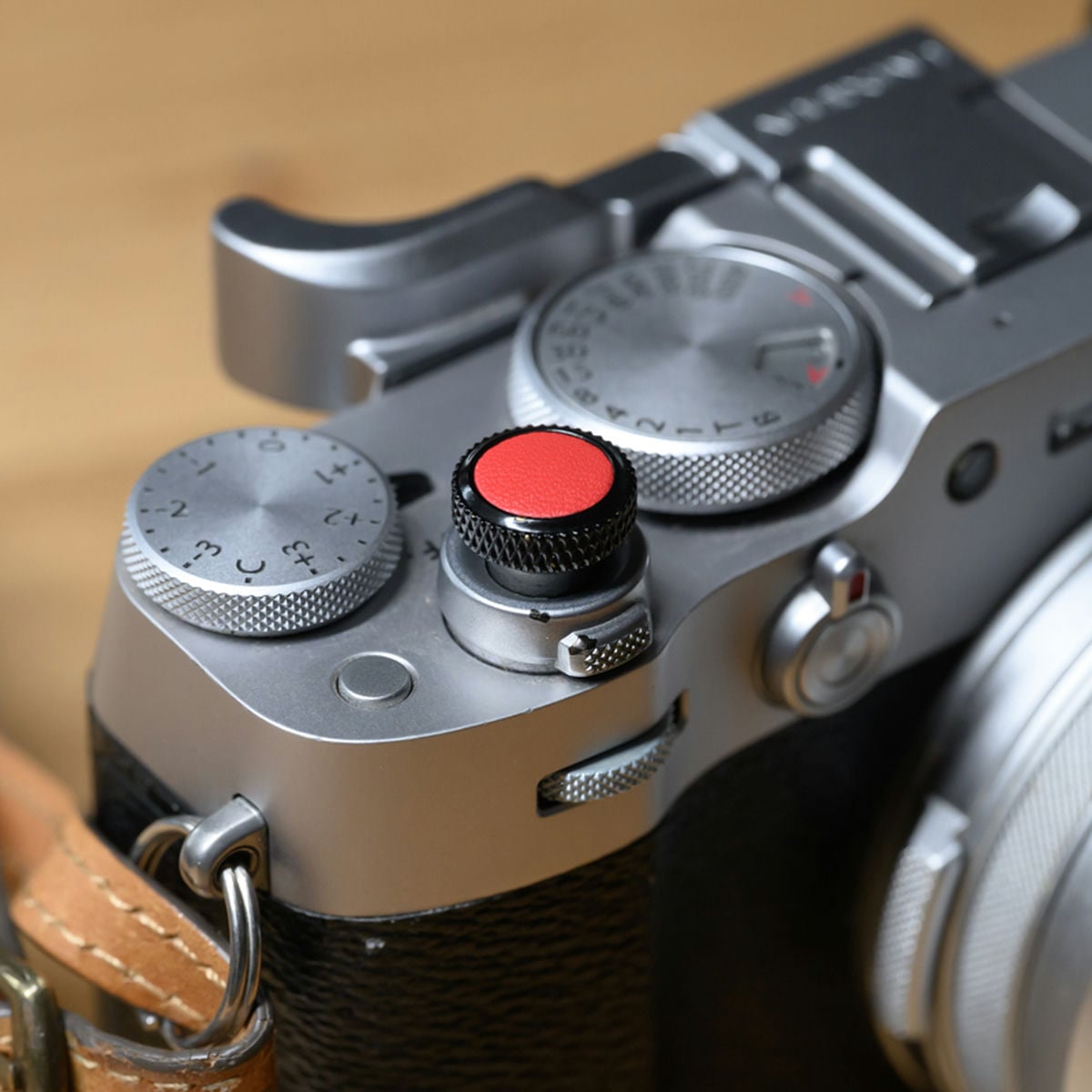
The JJC 12mm soft shutter button is slightly larger and bulkier than the VKO Soft Shutter Release Button, but if you have large fingers, this could be a useful feature.
It’s made of copper and has a little leather top.
It comes with a Rubber Ring, which ensures a secure installation and prevents the camera from vibrating loose. There are also multiple color options, which help when you’re designing the look of your camera to match accessories.
Available At: Amazon
7. Grips & Thumb Grips For The X100VI

I love thumb grips and recommend them if you’re not using an external flash.
I always use Lensmate thumb grips, but they are no longer in business or shutting down their factories, so you’ll have to shop for other third-party options. None is as good as Lensmate, so you’ll have to go with SmallRig or another generic third-party brand.
SmallRig X100VI L-Shaped Handgrip
Another accessory I like is the SmallRig grip. This is my first time using one of these on the Fujifilm X100 series, and I’ve come to like it. I’ve traditionally used leather cases, but this has become my go-to for the X100VI.
I also use this on my Fujifilm X-E5, and it’s just amazing.
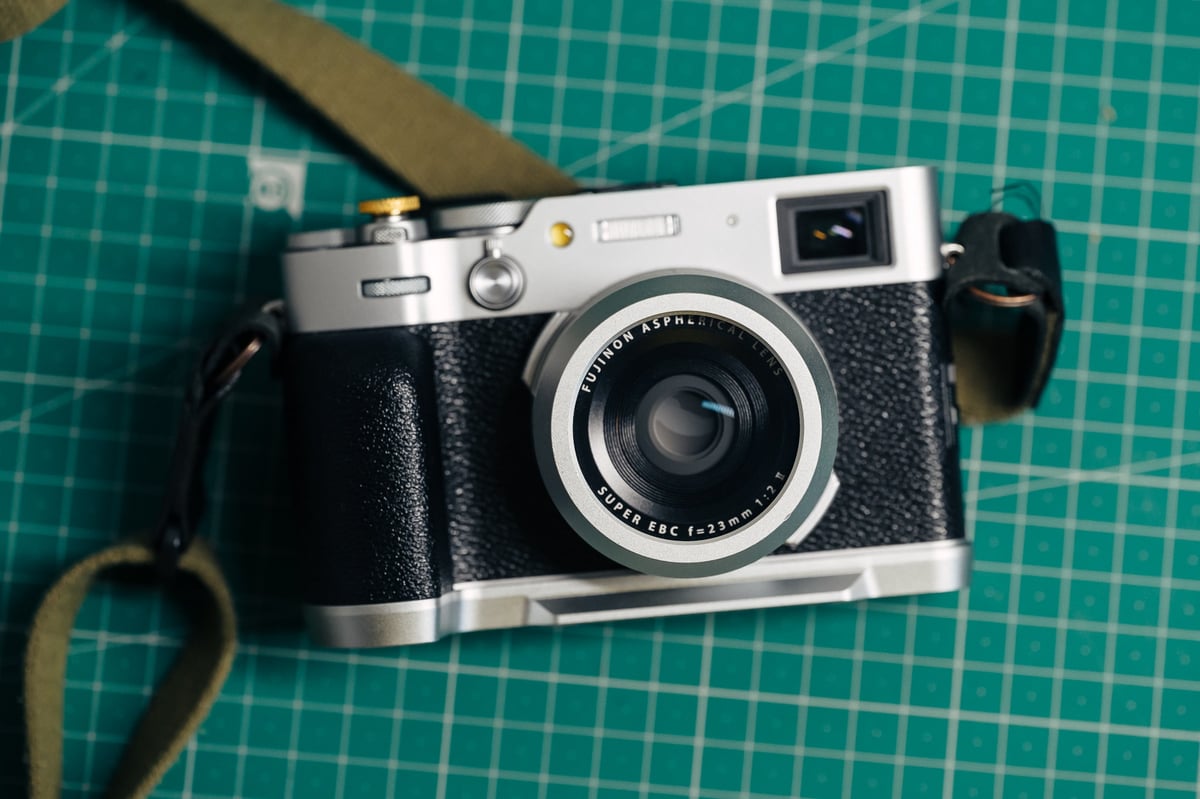
It is custom-designed for the camera, providing everything you need without altering the camera body’s overall style.
The handgrip is fastened using a single 1/4″-20 screw located at the bottom. The grip handle uses a silicone coating, and a silicone material is also integrated into the bottom to prevent scratches on the camera body. This is actually pretty important; I’ve had some bad grips mess up the bottom of my cameras before.
The bottom features a quick-release plate for Arca, allowing you to switch to tripod shooting quickly if you have tripods that use this mounting style.
Available At: Amazon
8. Fujifilm X100VI Leather Cases
The Fujifilm X100VI is not compatible with cases designed for the X100V, as the tripod mount has been relocated, and the body has slightly different dimensions.
Kaza Deluxe Leather Half Case Fujifilm X100VI
There are a few brands that make leather cases for the Fujifilm X100VI, but my favorite is Kaza. I’ve used them on a few of my X100 cameras and my Fujifilm X-Pro2. I usually get the combo, or sometimes they send me these for review, and I also use their included strap a lot.
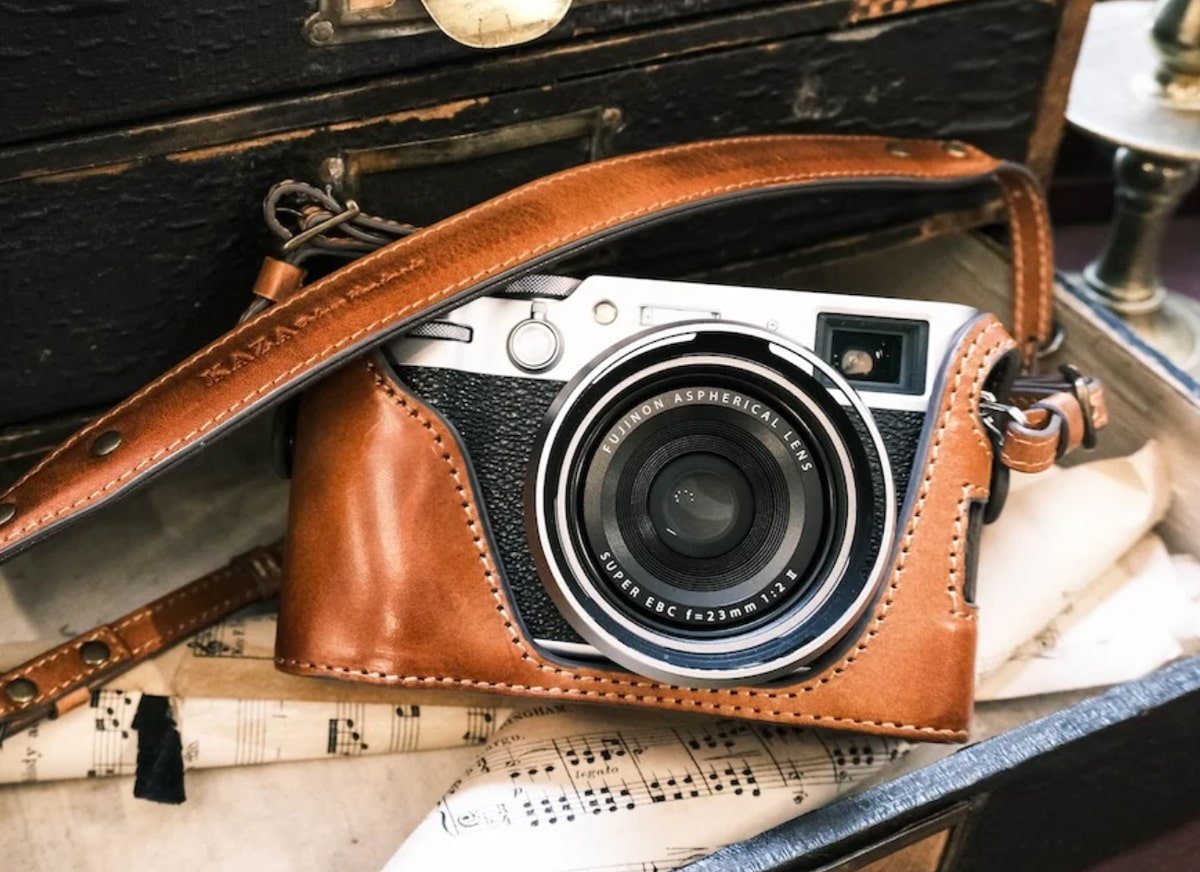
It is made from premium leather with a fiber inner lining featuring a sleek finish. It is custom-designed for Fujifilm X100VI Series cameras, ensuring a secure fit.
Features a bottom cut-out and a quick-release screw for easy battery changes and includes a tripod screw for easy attachment without removing the case.
Available At: KazaDeluxe
9. Camera Straps
There are many great straps available—leather, rope, small, and long. There are the Peak Design straps, but I wouldn’t say I like them for the X100-style camera—they are too modern and clash with the X100VI’s aesthetics.
Here are a few straps I like.
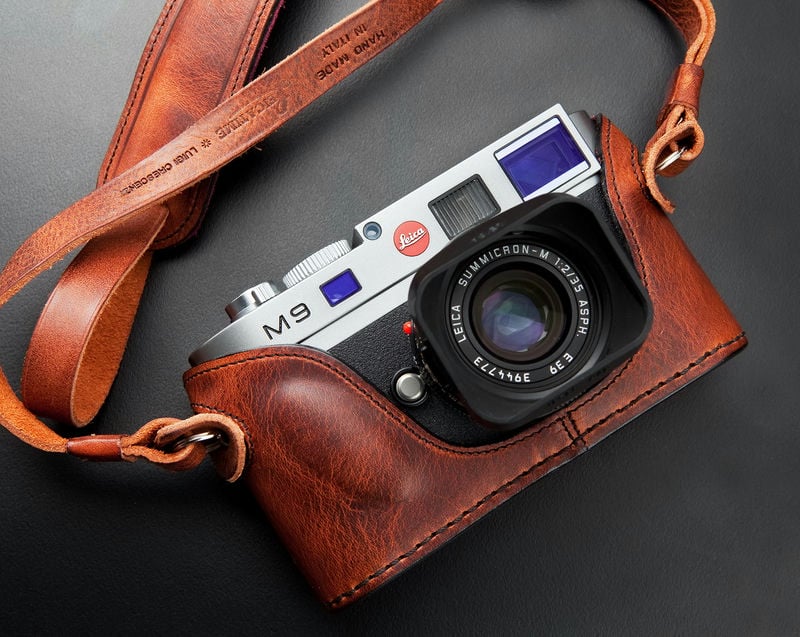
Luigi’s Straps by Luigicase
Italian leather company, and probably the best leather straps. I recommend the Deluxe strap. The Italian Approach to Leatherworks.
- Soft Italian Leather, extremely high quality
- Made in Italy
Available At: LuigiCases
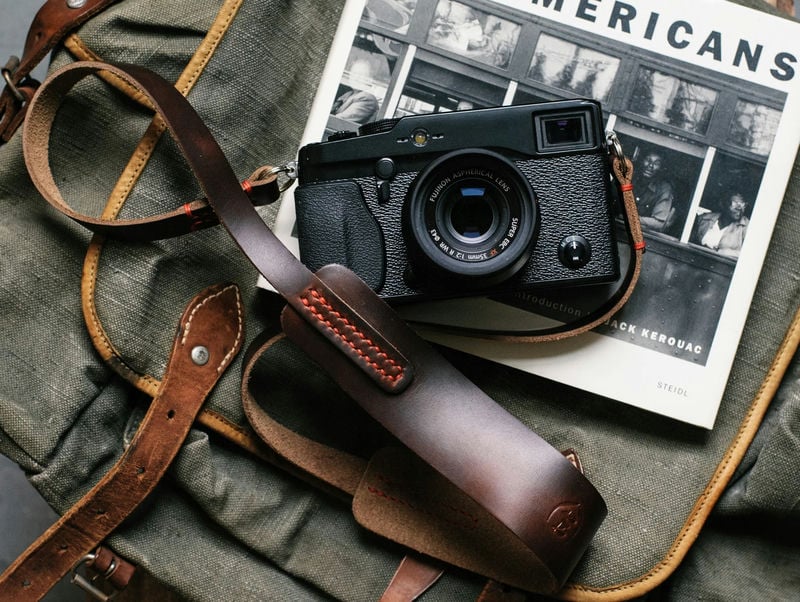
Tap&Dye
Great leather straps, Full Grain, Vegetable Tanned, and Chromexcel (Some of the best leather on earth). The American Approach to Leatherworks.
- Full Grain or Chromexcel Leather
- Made in USA
Available At: Tap&Dye
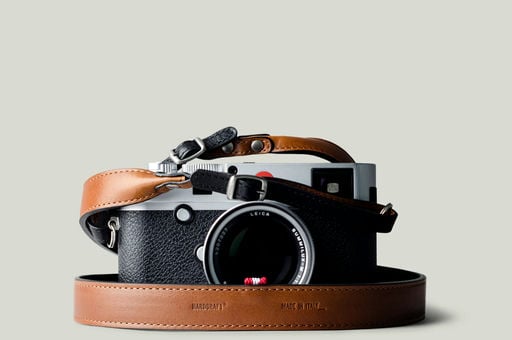
HardGraft
Made in Italy with the best European materials. High-quality straps, bags, and lifestyle products.
- Italian, German, and British Wools
- Made in Italy
Available At: HardGraft
10. Mic Accessories
The X100VI is a surprisingly capable video tool, but the audio input is a 2.5mm jack rather than the standard 3.5mm jack.
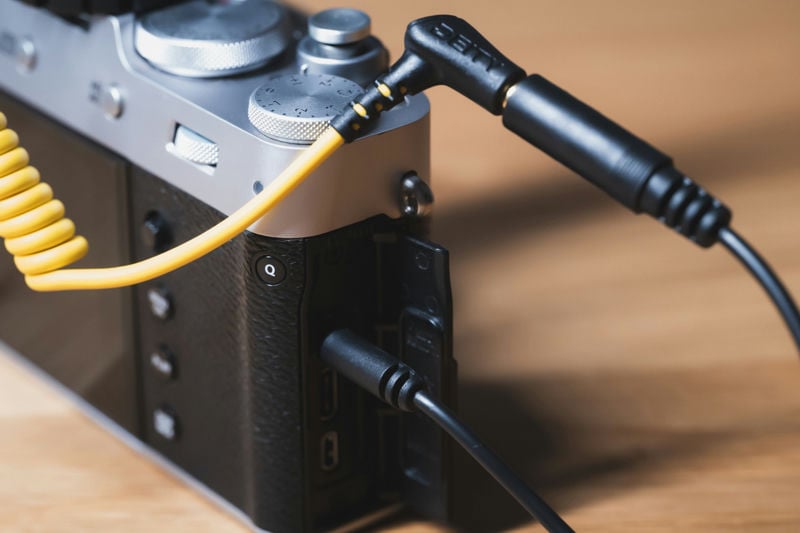
Foto&Tech 3.5mm to 2.5mm Cable
The Essential Adapter: You’ll need a 3.5mm-to-2.5mm adapter cable. I recommend a dedicated cable (like the one from Foto&Tech) rather than a “dongle” adapter, which adds a point of failure and puts stress on the camera’s port.
Available At: Amazon
WarmStore 3.5mm to 2.5mm Adapter
Fujifilm cameras often come with these adapters, but if you don’t have one, the WarmStor 3.5mm to 2.5mm Mic Adapter
This conversion allows you to use your 3.5mm plug mic with the 2.5mm port on the Fujifilm X100VI.
Available At: Amazon
Compact Mics: The Rode VideoMicro II is the perfect size—it provides a massive jump in audio quality without blocking the viewfinder or the built-in flash.
Rode VideoMicro / VideoMicro II
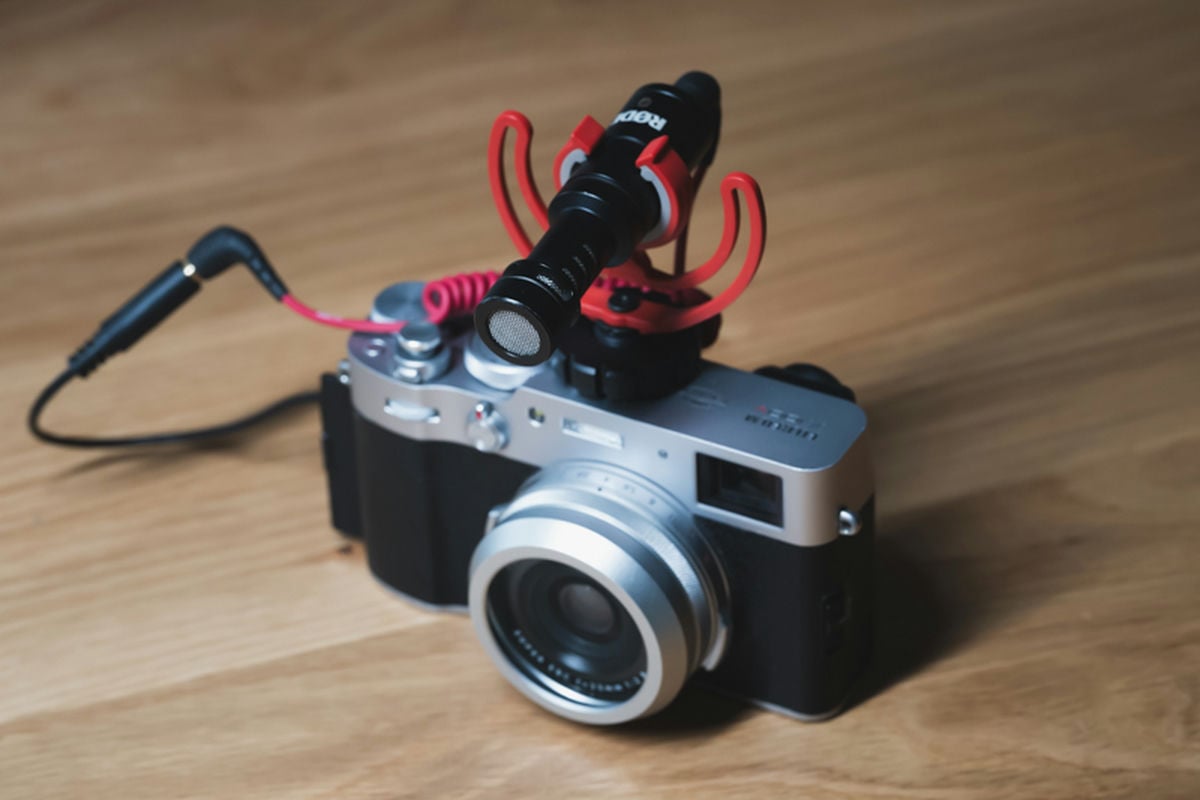
You probably don’t want an on-camera mic that is too large for the X100VI, as it might block some of the lens. Here are some compact options. I have both of these mics and like the way they sound.
Available At: Amazon














Leave a Reply